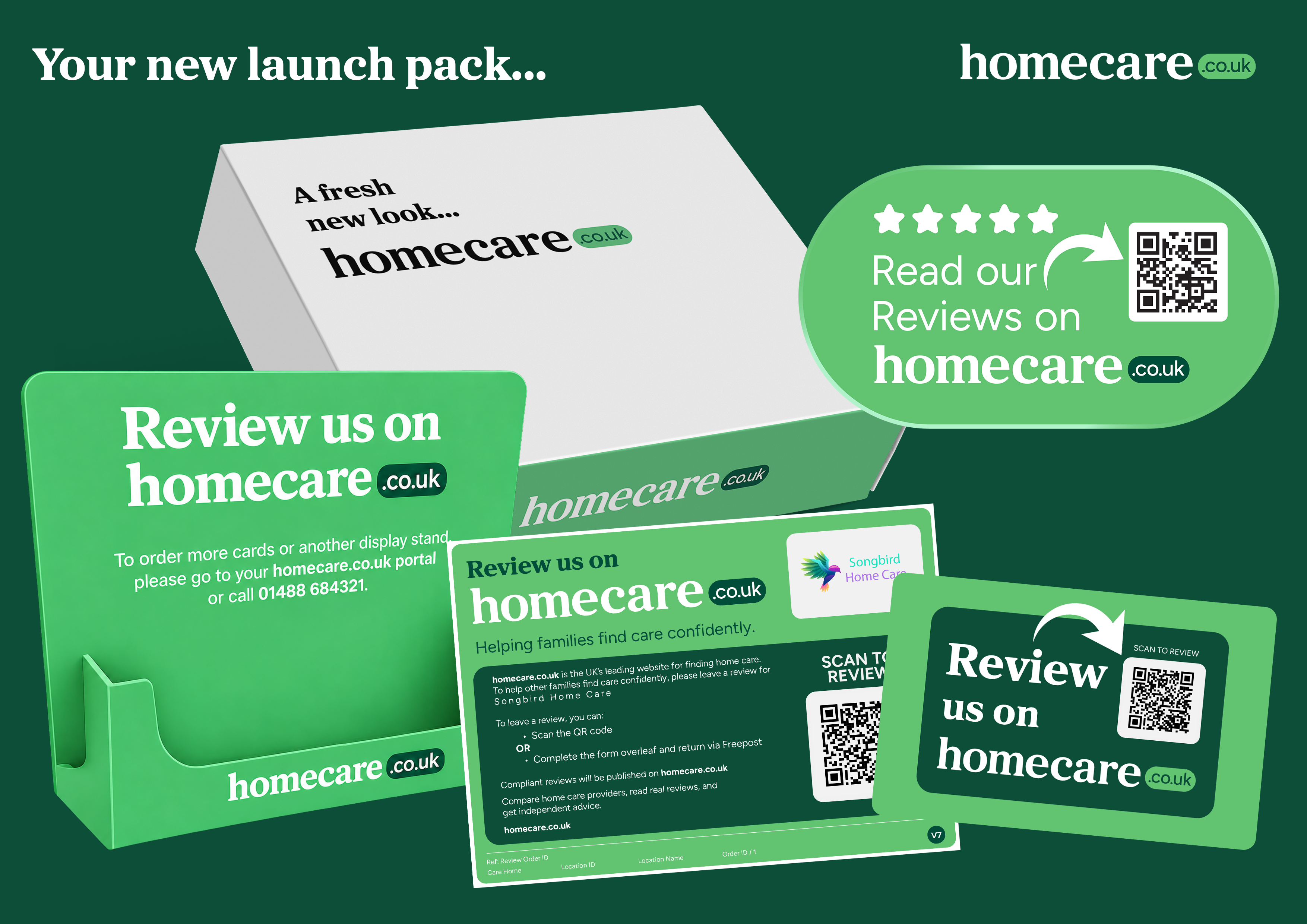
When your homecare.co.uk brand launch pack arrives, we recommend completing these simple steps to get the most from your new materials.
1. Replace your existing review cards
Start using the new branded review cards straight away and recycle any old branded stock you no longer need. Your old cards will still work as before, so don't worry if any are currently in circulation.
2. Make your QR review cards easy to access
Keep the pocket-sized QR review cards somewhere your care team can easily pick them up and take them on visits. They make it quick and easy for the people you care for and their families to leave a review online.
3. Use your review card stands
Display the supplied stands in your office, reception or other suitable areas where people you care for, their families and visitors can easily pick up a review card. Also make them available to your team.
4. Display your new window sticker
Place the sticker in a prominent window or entrance at your premises. The QR code links directly to your homecare.co.uk profile so people can quickly read your reviews.
5. Print and display your new-look 'Review Us' QR Code Poster
You'll find a PDF version in your Portal in the left-hand menu. Click on Reviews, then Generate and Showcase, and select 'Review Us' QR Code Poster. You can print as many as you like for your office or other suitable locations.
6. Print and display your new-look Review Score Certificate
This is also available in your Portal under the same menu. Simply select Review Score Certificate to download and print the PDF.
7. Tell your team
Make sure your colleagues and care team know what each item is for, where to find review cards and when it's appropriate to offer them to the people you care for and their families.
8. Update any homecare.co.uk branding you use
If you've used our previous logo or branding on your website, printed materials, email footer, social media or elsewhere, update it to reflect our new look. Our latest logos can be found in your Portal by selecting Account in the left-hand menu and then Brand Assets.
9. Check your review widget
If you have one of our Review widgets on your website, it should update automatically. If you use an adapted version, check that it has transitioned successfully to the new brand.
10. Log in to the Portal
Visit portal.homecare.co.uk to explore your updated dashboard and make sure your profile is complete and up to date.
Need more supplies?
You can order additional review cards at any time through the Portal or by contacting your Account Manager.